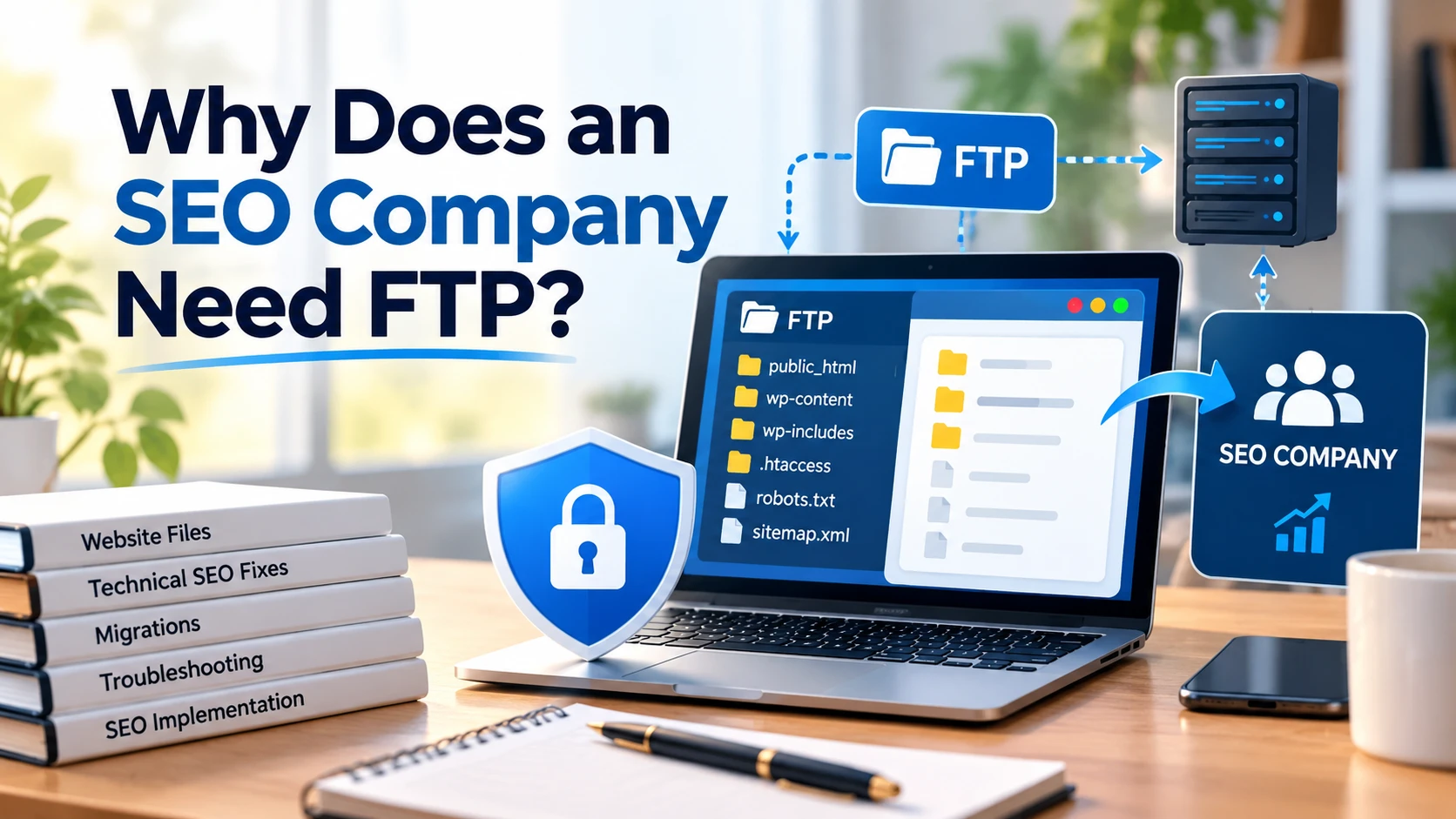
Why Does an SEO Company Need FTP?
An SEO company may need FTP access when it has to view, upload, or change website files for a technical task that cannot be completed through the site’s CMS or hosting controls. FTP is not required for every SEO task. If an agency asks for it, they should be able to explain which files they need, what they plan to change, and what level of permission the task requires.
FTP is a way of accessing website files. It is not an SEO requirement by itself, and it has no direct effect on how Google ranks a site. What matters is the work done with that access, such as correcting a redirect rule, fixing a robots.txt file, or supporting a migration.
Many SEO projects never need it. Others, especially technical ones, sometimes do. This article explains when each is the case, how to tell a reasonable request from an unnecessary one, and how to grant access with minimal risk.
What Is FTP?
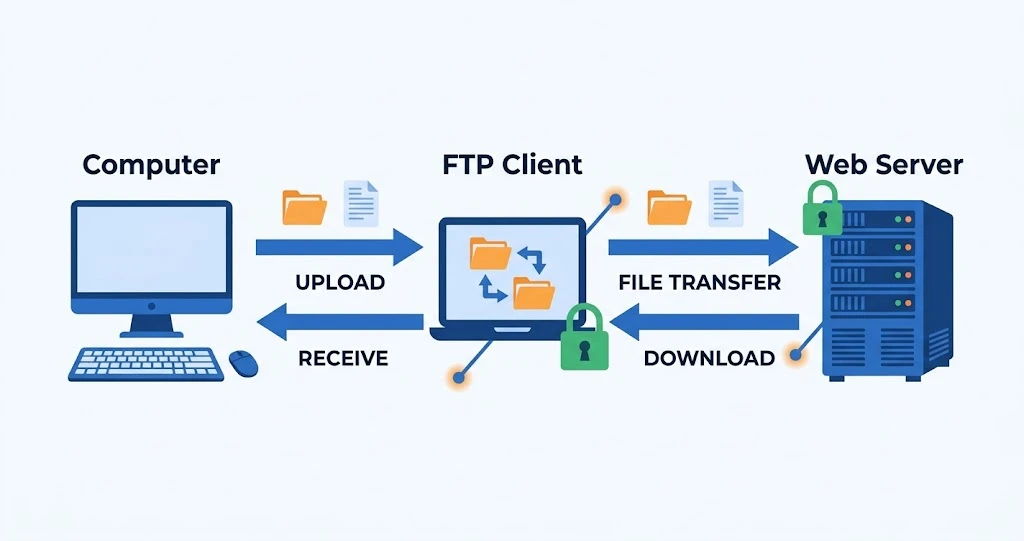
FTP stands for File Transfer Protocol. It is a standard method for moving and managing files between a local computer and a web server. A person connects with a client program, signs in with credentials, and can then browse folders, upload files, download them, rename them, or delete them, depending on the permissions of the account.
A website owner who connects to a server this way may see:
- Website files and folders
- Images and other media
- CSS (style) files and JavaScript files
- Configuration files, such as .htaccess on Apache servers
- Server-related files, such as robots.txt, verification files, and sometimes XML sitemaps
What Is SFTP and How Is It Different From FTP?
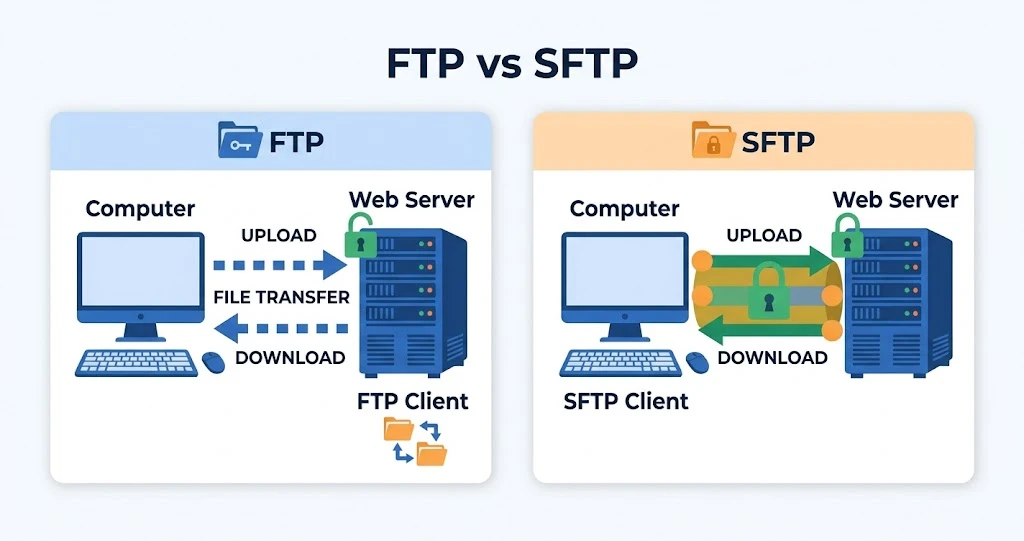
SFTP stands for SSH File Transfer Protocol. It does the same job as FTP, moving and managing files, but it runs over an SSH connection, which encrypts the session, including the login credentials.
| FTP | SFTP |
| File Transfer Protocol | SSH File Transfer Protocol |
| Traditional file transfer method | Secure file transfer method |
| Does not provide the same encryption protections as SFTP | Encrypts the connection and credentials |
| Generally less desirable for sensitive access | Generally preferred when available |
SFTP is not simply “FTP with SSL.” That description fits a different technology called FTPS, which is FTP with TLS encryption added. FTPS and SFTP both protect data in transit, but they are separate protocols that work differently. Which one a host offers varies, so ask your hosting provider what is supported.
Why Does an SEO Company Need FTP?
An SEO agency usually asks for FTP or SFTP when a technical task involves files the CMS does not let it edit. In many setups, the CMS controls most of the content and settings. Some technical elements sit outside it.
Technical SEO Fixes
Examples of files and configurations an agency might need to reach:
- robots.txt: controls which parts of a site crawlers are asked to avoid. Some platforms and plugins manage it through a dashboard, while others expect a physical file in the site root.
- Redirects: on Apache-based hosting, redirect rules are often placed in the .htaccess file. Other servers use different configuration, and many CMS platforms and plugins handle redirects without file access.
- Server configuration files: in some setups, settings that affect canonical hostnames, HTTPS handling, or compression sit in server files.
- Verification files: some services ask you to upload a specific file to the site root to prove ownership.
- XML sitemap files: many sites generate sitemaps automatically, but some setups use static files that need to be uploaded or replaced.
Website Migrations
File access can be useful when a site moves. Common scenarios include domain changes, hosting migrations, redesigns, platform migrations, and server moves. In these projects, a technical SEO professional or developer may need to copy files, put redirects in place, check configuration, and confirm that important assets survived the move.
Troubleshooting Technical Problems
When something behaves unexpectedly, file access lets a developer or technical SEO specialist inspect the setup. It can help investigate:
- Incorrect or looping redirects
- Configuration problems
- Missing files
- Broken implementations
- Unexpected server behavior
- Problems introduced during development
Implementing SEO Recommendations
An agency often finds a problem in an audit, and the fix is a separate step. The usual sequence is:
SEO audit → identifies technical issue → developer implements fix → SEO team verifies result
If your site has an in-house developer or an outside web team, they may be the right people to make the change. The agency can supply clear instructions, and nobody outside your team needs file access. If no developer is available, the agency may ask for access so its own technical staff can do the work.
Audits themselves rarely need FTP. If a crawl is needed to find on-page problems, a crawling tool can inspect the site from the outside. See our guide on how to use Screaming Frog to improve on-page SEO.
What SEO Tasks Usually Do Not Require FTP?
Much SEO work needs no file access:
- Keyword research and content strategy
- Content writing and content updates through a CMS
- Title tag and meta description optimization
- Heading optimization
- Internal linking recommendations
- Competitor research
- Google Search Console analysis
- Google Analytics analysis
- SEO reporting
- Many changes made through an SEO plugin in WordPress
Whether FTP is needed depends on the website platform, the hosting setup, the permissions already granted, and the specific task. A request for FTP on a project that is purely content and reporting deserves a polite question about why.
FTP vs. WordPress Admin Access
These access types serve different purposes, and one does not replace another.
| Access Type | Typical Use |
| WordPress Admin | Content, plugins, themes, settings, SEO plugin configuration |
| FTP/SFTP | Website files and file-level changes |
| Hosting/cPanel access | Server, hosting, databases, email, domains, and broader settings |
| Google Search Console | Search performance and indexing data |
| Analytics | Traffic and user behavior data |
Hosting access is generally broader than a restricted file-transfer account. Do not hand an agency broader access when something narrower will do. If the task is editing robots.txt, SFTP limited to the website directory is usually enough, and the full hosting login is not.
Does an SEO Company Really Need FTP?
Sometimes, but not always.
FTP or SFTP may be reasonable when:
- The agency is implementing technical SEO changes
- The site needs file-level configuration changes
- A migration is involved
- The agency’s developer has to troubleshoot website files
- The CMS does not expose the required setting
It may be unnecessary when:
- The agency is only doing an SEO audit
- The work is mostly content-based
- The CMS provides the controls needed
- Your own developer handles implementation
- The agency only needs reporting or analytics access
Is It Safe to Give an SEO Company FTP Access?
FTP access can be safe when it is handled with care, and it should be treated as a privileged credential because it can reach website files. How much it can reach depends on the account, directory permissions, hosting configuration, and protocol. An FTP account does not automatically give access to the whole server.
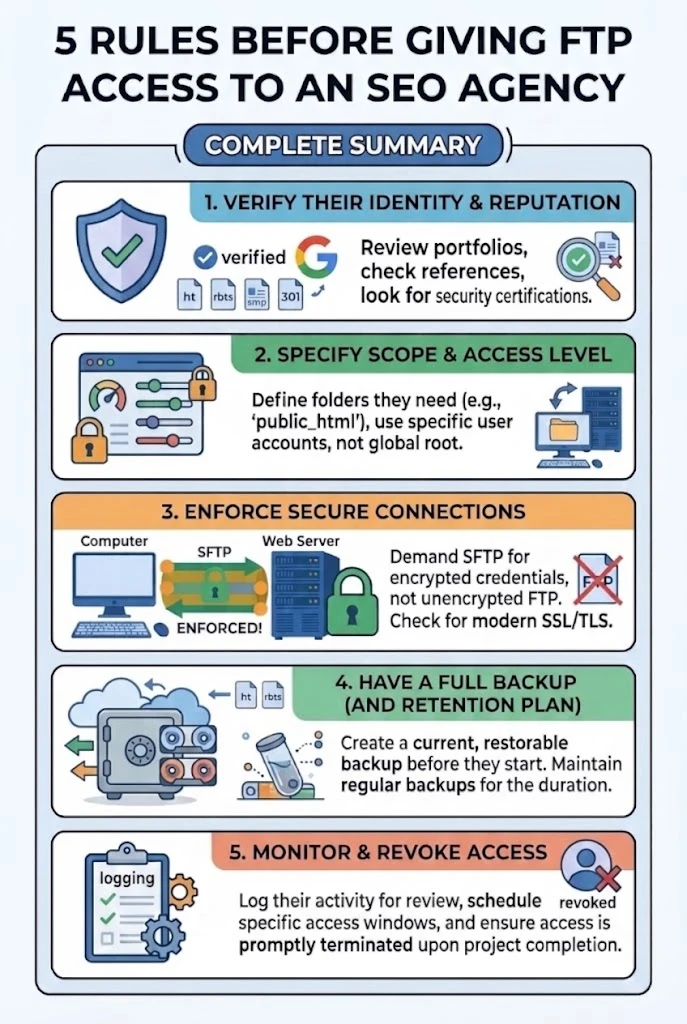
Sensible precautions:
- Create a separate account for the agency instead of sharing your own.
- Use SFTP where the host supports it.
- Grant the minimum permissions the task needs.
- Restrict the account to the relevant directory if your hosting setup allows.
- Use a strong, unique password, or SSH key authentication where appropriate.
- Do not share your primary hosting account password unnecessarily.
- Keep a record of who has access.
- Remove access when the agency no longer needs it.
- Change or revoke credentials when staff or agencies change.
None of this assumes the agency is untrustworthy. These are ordinary good practices for any outside party with access to your systems, whether it is an agency, a freelancer, or a developer.
Should You Give an SEO Agency Your Main Hosting Login?
Usually not, if a narrower method can complete the task.
This follows the principle of least privilege: give someone only the access the job requires. An agency that needs website files should not automatically receive unrestricted access to:
- Billing
- Domain ownership
- Databases
- Server administration
- Other websites on the same account
- Sensitive account settings
If a task does call for broader access, such as a server-level configuration change, it is reasonable to ask why, to limit the scope and duration, or to have your developer or hosting provider perform that step instead.
What Should You Ask an SEO Company Before Giving FTP Access?
A few direct questions help you decide:
- Why do you need FTP or SFTP access?
- Which files or directories do you need?
- What changes do you plan to make?
- Can the changes be made through the CMS instead?
- Do you need read-only access, or write access?
- Can you use SFTP?
- How long will you need access?
- Who on your team will have the credentials?
- Will you provide a record of changes?
- Can access be restricted to the website directory?
How to Give FTP Access More Safely
Hosting providers differ in their interfaces and in what they allow, so treat this as a framework and check your provider’s documentation for the exact steps.
- Log in to your hosting provider.
- Create a separate FTP or SFTP user for the agency.
- Restrict the user to the required website directory where possible.
- Set the minimum permissions required.
- Use SFTP if it is supported.
- Share credentials through a secure method, not ordinary email or a public message.
- Confirm what the agency plans to change before work begins.
- Take a backup before significant changes.
- Monitor the work and review what was changed.
- Remove or disable the account when the work is complete.
What Can Go Wrong With Poorly Managed FTP Access?
Poorly managed FTP access can create several realistic risks:
- Unauthorized file changes
- Accidental deletion of files
- Incorrect configuration that breaks a page or the whole site
- Malware or compromised credentials, especially if passwords are reused or shared widely
- Website downtime
- Changes that affect other files than intended
- Difficulty identifying who made a change
How serious these are depends on the account’s permissions, the security practices around it, and how credentials are managed. A restricted account with a backup in place carries far less risk than a shared full-access login. This is not a reason to assume any SEO company is a risk. It is a reason to manage access carefully.
FTP Access During SEO Migrations
Migrations are one of the clearest cases where file-level access helps. A technical team may need to:
- Move website files to a new host or directory
- Implement redirects from old URLs to new ones
- Verify that key files, such as robots.txt, are correct on the new setup
- Check server configuration
- Preserve important assets such as images and documents
- Test the site before and after launch
Backups and testing matter more than the access method. Take a full backup before the move, test on a staging copy where possible, and verify redirects and indexing afterward. FTP is one tool for migration work. It is not the only way, and some hosts and platforms offer migration tools, dashboards, or command-line access that serve the same purpose.
FTP Access and WordPress Websites
On WordPress sites, most SEO tasks can be done from the dashboard. File-level access can still help in specific situations:
- robots.txt: WordPress can generate a virtual robots.txt, and some SEO plugins let you edit it from the dashboard. A physical file in the site root may also exist, depending on setup.
- .htaccess: on Apache-based hosting, it often holds redirect and rewrite rules.
- Theme files: occasionally relevant for template-level changes.
- Plugin files: sometimes needed for troubleshooting, such as when a faulty plugin locks you out of the dashboard.
- Uploads: the media folder, for file checks or bulk handling.
- Verification files: files placed in the root to verify ownership.
- Server-related configuration: settings outside WordPress itself.
Be cautious with direct edits to theme or plugin files. A small mistake can break a site, and changes to theme or plugin files can be overwritten by updates. If you are not technically comfortable, leave file edits to a developer, and make sure a backup exists before anything is changed.
What Access Should an SEO Company Actually Get?
Match the access to the task:
| Task | Access Needed |
| Content SEO | CMS or editor access |
| Search performance | Google Search Console access |
| Traffic and behavior | Analytics access |
| File-level technical work | SFTP or FTP, limited to what is needed |
| Server-level work | Hosting or developer access, only when genuinely required |
Start with the narrowest option, and expand only if a specific task justifies it. Where possible, grant reporting tools read-only access, and give a person or team access at the lowest permission level that lets them work.
Questions to Ask Before Removing Access
When the work is done, confirm the following before closing the account:
- What was changed?
- Which files were modified?
- Were backups created?
- Are any credentials still active?
- Is further access needed?
- Were tests completed?
- Can the agency provide documentation of the changes?
Common Misconceptions About FTP and SEO
“An SEO company always needs FTP.” No. It depends on the work.
“FTP is required for Google rankings.” No. FTP is a method of accessing website files, and it has no direct effect on rankings.
“If an agency asks for FTP, they need complete server access.” Not necessarily. The account’s permissions are configured by the host or administrator, and they can be narrow.
“WordPress admin access makes FTP unnecessary in every case.” Not always. Some technical tasks need file-level access.
“Giving FTP access means the agency can do anything.” Not automatically. What the account can read, change, or delete depends on how it was set up.
Practical Checklist for Website Owners
- Ask why FTP or SFTP is required.
- Confirm which files or directories are needed.
- Prefer SFTP where supported.
- Create a separate user for the agency.
- Limit permissions to what the task requires.
- Back up the website before significant changes.
- Keep a record of changes.
- Remove access when the work is complete.
- Verify the website after changes.
FAQs
Why does an SEO company need FTP?
When a technical SEO task involves files the CMS cannot edit, such as robots.txt, redirect rules, verification files, or migration work. It is not needed for every project.
Do SEO agencies need FTP access?
Not always. Content, keyword, reporting, and audit work usually do not require it. Technical implementation and migrations sometimes do.
Is FTP necessary for SEO?
No. FTP is just one way to reach website files, and it has no direct effect on rankings. The task determines whether it is needed.
Should I give my SEO company FTP access?
Only if the task requires it and the agency can explain why. Use a separate account, limited permissions, and SFTP where available.
Is SFTP better than FTP for an SEO agency?
Generally yes, because SFTP encrypts the connection and credentials. It still depends on good passwords, narrow permissions, and sound server configuration.
What can an SEO company do with FTP?
It depends on the account’s permissions. Typically they can view, upload, edit, or delete files in the directories the account can reach, such as robots.txt or .htaccess on suitable hosting.
Can SEO be done without FTP?
Yes, in many cases. Content work, audits, analysis, and many plugin-based changes need no file access.
What is the difference between FTP and WordPress access?
WordPress admin access manages content, plugins, themes, and settings through the dashboard. FTP gives access to the underlying files.
Can FTP access affect my website?
It can, if files are changed or deleted incorrectly. Backups, limited permissions, and a record of changes reduce the risk.
Should I remove FTP access after an SEO project?
Yes. Remove or disable the account once the work is complete and verified, and change any shared credentials.