AI Tools for Patent Drafting: The Best Options for Faster Patent Applications
If you have ever worked on a patent application, you already know how much time drafting can take. Patent writing requires careful technical thinking, precise language, strong claim structure, and plenty of attention to small details. That combination can make even a straightforward invention feel like a long road.
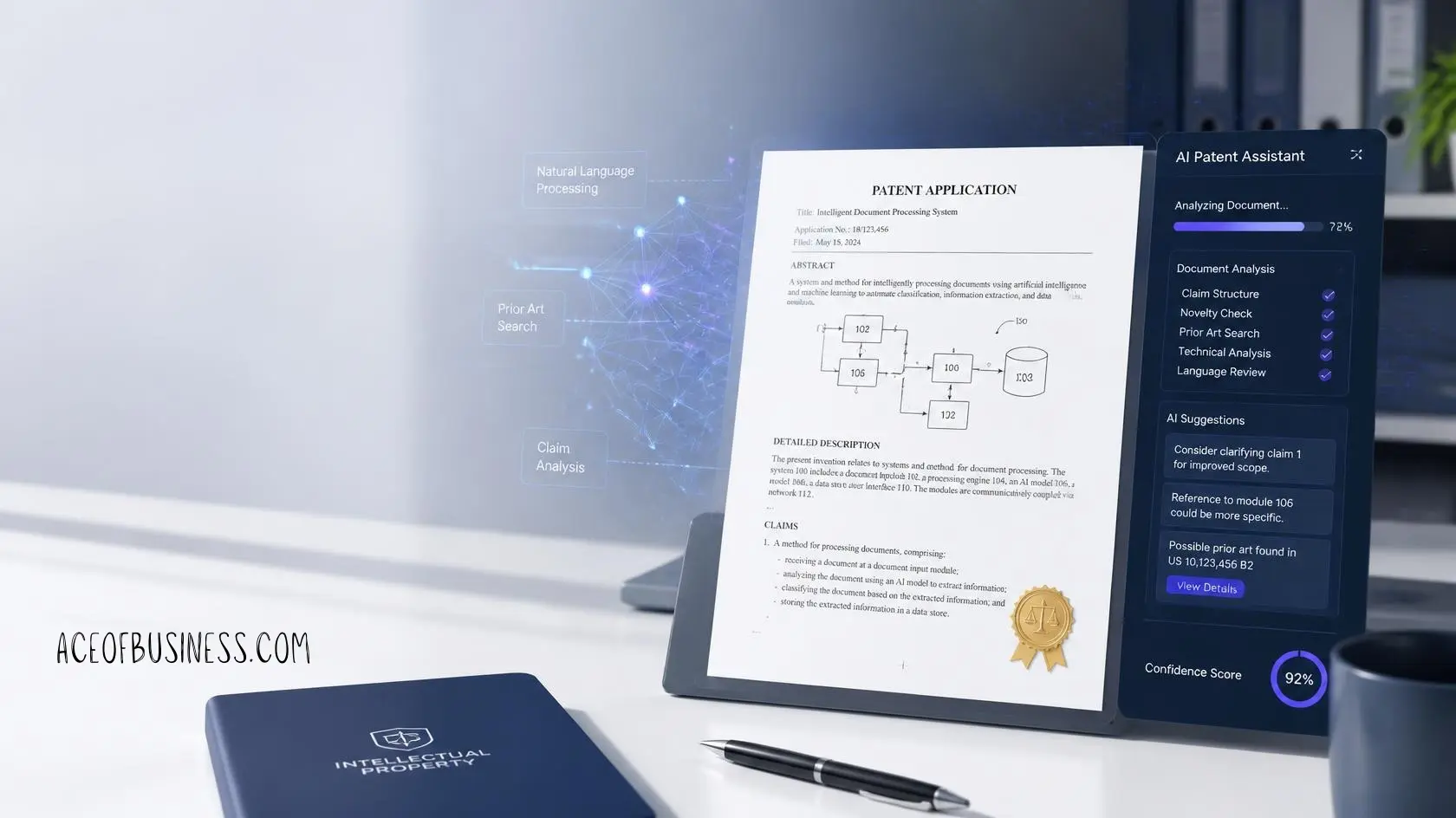
AI patent drafting tools are changing how many patent professionals handle that work. Instead of starting every application with a blank document, attorneys and patent teams can now use artificial intelligence to organize invention disclosures, build claims, draft specifications, create figures, review documents, and support patent prosecution work.
With that in mind, I researched the leading AI tools for patent drafting and compared what they actually offer, who they suit, and where each tool fits into a practical patent workflow.
What Are AI Patent Drafting Tools?
AI patent drafting tools are software platforms that use artificial intelligence to help prepare and review patent applications. These platforms can work with invention disclosures, existing claims, technical documents, drawings, prior art, and earlier patent materials.
Depending on the platform, you may be able to generate parts of a patent application or work through nearly the entire drafting workflow. Some tools focus mainly on writing, while others combine drafting with patent search, prosecution, claim analysis, and portfolio management.
What Can AI Help With During Patent Drafting?
Modern patent AI software can support several stages of the drafting process. The exact features vary considerably between platforms, so I would look at the workflow rather than simply counting features.
Here are some of the most common uses.
- Organizing invention disclosures before drafting begins.
- Turning technical disclosures into structured patent content.
- Drafting independent and dependent claim variations.
- Creating patent specification sections from approved claim concepts.
- Generating abstracts and summaries from existing claims.
- Preparing figure descriptions and technical explanations.
- Creating flowcharts and block diagrams for certain inventions.
- Checking terminology throughout a patent application.
- Finding missing antecedent basis and other claim problems.
- Comparing claims against prior art and related patents.
- Supporting office action analysis and response preparation.
- Applying a firm’s preferred drafting language and templates.
For example, ClaimMaster can generate sections such as summaries and abstracts, create figures and descriptions, identify claim terms lacking specification support, and connect with generative AI systems for drafting and analysis.
PatentPal takes another approach by allowing users to upload claims and generate specifications, figures, abstracts, summaries, flowcharts, and block diagrams from those claims.
So, the big picture looks pretty simple. AI can help you move from a technical idea toward a structured patent draft much faster, while the attorney still controls the important legal and technical decisions.
Best AI Tools for Patent Drafting
There is no single best patent AI tool for every person. A solo patent attorney may want something simple and affordable, while a large IP department may care more about security, workflow integration, patent search, prosecution support, and collaboration.
Here are the strongest options I found during my research.
1. Patently Create
Patently Create is one of the more complete AI patent drafting environments available today. Its Onardo AI assistant is designed specifically around patent work rather than general document writing.
The platform can work from an invention disclosure and help develop claims, figures, and the full patent description. It also includes an integrated figure editor, which can make the drafting process feel much more connected.
One feature I find particularly interesting is the way Patently connects claims with figure elements. Users can add parts to figures and have reference numbers handled automatically, while changes can flow through the document.
Patently also says Onardo can draft the specification figure by figure or generate the full specification together.
Why Patently Create stands out
The biggest advantage is the integrated workflow. You are not simply asking an AI chatbot to write paragraphs and then copying those paragraphs into another document.
Instead, the system is designed around claims, figures, descriptions, and patent drafting as connected pieces of the same application.
That can be especially useful when your application contains complicated systems, mechanical components, software workflows, or several interconnected figures.
Patently also offers semantic patent search and other patent intelligence tools through its wider platform.
Best for: Patent professionals who want an integrated drafting and patent intelligence workflow.
2. DeepIP
DeepIP is another major name in AI-powered patent drafting. The platform is designed around the broader patent lifecycle, including ideation, prior art, drafting, prosecution, and risk assessment.
DeepIP says its drafting system can turn invention disclosures into complete patent applications, including claims, specifications, and abstracts. It also offers claim drafting features that let users explore different coverage strategies and alternative wording.
The platform also emphasizes style matching. That matters more than it might sound at first, because patent firms often have established templates, terminology, and drafting conventions.
DeepIP says its system can adapt drafts to firm templates and requirements associated with USPTO, EPO, and PCT work.
The company currently reports more than 150 million searchable patents and more than 25,000 patent applications drafted through its platform. Those are company-reported figures, so I would treat them as product claims rather than independent performance measurements.
Why DeepIP stands out
I like the broader lifecycle approach here. Patent drafting rarely exists by itself because attorneys often need prior art, patentability analysis, prosecution support, and portfolio information around the same matter.
DeepIP tries to keep those activities inside one platform.
Best for: Patent teams that want drafting connected with search, analysis, and prosecution workflows.
3. Paximal
Paximal is a newer patent drafting platform that puts a strong emphasis on producing complete patent applications from invention materials.
The company describes its system as agentic end-to-end patent drafting. Its platform uses multiple AI processes to structure sections, align terminology, connect features with claims, and build fallback support.
Paximal also focuses heavily on software and SaaS patents. Its software patent workflow addresses issues such as Section 101 eligibility, functional claiming, Section 112 concerns, and enablement.
That focus makes sense because software patent applications can involve some particularly tricky drafting questions.
Paximal also publishes security information stating that it is SOC 2 certified, stores and processes data in the United States, does not use customer data to train AI models, and does not share customer information with third parties.
Those claims should still be reviewed against the current contract and security documentation before confidential invention material goes into any platform.
Why Paximal stands out
The interesting part is its attempt to make patent drafting less dependent on prompt engineering. The company says attorneys can define claim focus and terminology without having to learn complicated prompting techniques.
Best for: Patent professionals looking for structured, end-to-end AI drafting with particular strength around software patents.
4. PatentPal
PatentPal is worth considering if you want to automate mechanical writing tasks around patent applications.
Its workflow starts with claims. You can upload a document containing claims and then generate specifications and figures from that material. The platform can also create flowcharts, block diagrams, figure descriptions, abstracts, and summaries.
Another useful feature is customization of generated language. PatentPal allows users to customize phrases and maintain different language profiles.
That can be handy when you already have a preferred drafting style and want generated text to follow established terminology.
The platform can also export work into Word and Visio or PowerPoint, which may fit more naturally into existing workflows than tools that keep everything inside one browser editor.
Why PatentPal stands out
PatentPal is particularly interesting for attorneys who already have their claims and want help turning those claims into the supporting application material.
In other words, it can reduce the amount of repetitive writing without trying to take over every strategic decision.
Best for: Attorneys who want automated specifications, figures, summaries, and related drafting work from claims.
5. ClaimMaster
ClaimMaster takes a slightly different approach because it combines patent drafting automation with extensive proofreading and prosecution tools.
The software works with Microsoft Word and can identify issues such as missing antecedent basis, inconsistent reference terms, unsupported claim terminology, and various document problems.
Its +Drafting tools also use generative AI and can connect with systems such as OpenAI GPT, Claude, and local LLMs.
This makes ClaimMaster especially interesting when you want AI assistance without giving up the more traditional Word-based patent workflow.
The platform can also generate abstracts and summaries, clone method claims into other statutory types, create figures, prepare figure descriptions, and support office action workflows.
Why ClaimMaster stands out
For me, the strongest argument for ClaimMaster is quality control.
Patent drafting is not only about generating words. It is also about catching the small inconsistencies that can create problems later.
Best for: Patent attorneys and paralegals who want drafting assistance plus strong proofreading and document automation.
6. Patent Bots
Patent Bots focuses heavily on working directly inside Microsoft Word.
Its Drafting Automation tools include generative AI features, document context, invention disclosure uploads, custom prompts, claim summaries, figure descriptions, reference-label tools, and claim renumbering.
Patent Bots introduced Gen AI Chat for Drafting in 2026, allowing users to interact with an AI assistant directly inside Word. The company says generated content is tagged for review and that its Gen AI infrastructure uses zero data retention.
That Word integration can be a big deal for firms that already have established document workflows.
You do not necessarily need to move your entire drafting process into another editor just to gain AI assistance.
Why Patent Bots stands out
Its biggest selling point is probably workflow familiarity. If your practice already lives inside Word, staying there can remove a lot of friction.
Best for: Patent teams that want AI drafting and automation directly inside Microsoft Word.
7. Solve Intelligence
Solve Intelligence is another serious option for patent professionals who want AI assistance throughout the patent lifecycle.
The company describes its platform as covering invention disclosures, patent application drafting, and office action or opposition work.
Unlike Word-first tools, Solve Intelligence uses its own browser-based document environment. That design allows the company to build patent-specific workflows directly into the editor.
Practitioner discussions have highlighted features such as inline AI assistance, figure and element integration, detailed description planning, split views, and Word import and export. These are user reports rather than independent product testing, so I would treat them as practical feedback rather than hard performance evidence.
Solve has also attracted substantial investment and attention within legal technology. Recent reporting placed its funding at about $55 million and identified the company as one of the notable patent-focused legal AI companies in 2026.
Why Solve Intelligence stands out
The platform is interesting if you want more than simple text generation. Its workflow tries to make AI part of the actual patent drafting environment.
Best for: Patent teams looking for an AI-first patent workspace with broader prosecution support.
8. Fearn AI
Fearn AI is one of the newer entrants in this space and takes a particularly interesting approach.
The company was founded by former patent prosecutor Han Kim and is positioning itself more like a consumer-friendly patent drafting service. Recent reporting says Fearn raised $5.5 million in seed funding and allows inventors to upload technical documents before generating patent drafts, drawings, and quality assessments.
That makes Fearn different from tools designed primarily for established patent law firms.
The idea is fairly straightforward. Instead of making inventors depend completely on a traditional drafting workflow from the beginning, the platform gives them more direct involvement in creating the initial patent material.
That approach may appeal to startups and inventors who want to understand and shape their invention disclosure before working with counsel.
Why Fearn stands out
Its biggest difference is accessibility. The platform is trying to make the first stages of patent drafting easier for inventors themselves.
Best for: Startups and inventors exploring AI-assisted patent preparation before professional review.
AI Patent Drafting Tools Compared
| Tool | Main Strength | Drafting | Claims | Figures | Search | Prosecution | Best Fit |
| Patently Create | Integrated workflow | Yes | Yes | Yes | Yes | Yes | Patent teams |
| DeepIP | Patent lifecycle | Yes | Yes | Yes | Yes | Yes | Law firms and IP teams |
| Paximal | End-to-end drafting | Yes | Yes | Yes | Limited | Strategy focused | Software and patent teams |
| PatentPal | Automated writing | Yes | Yes | Yes | No | Limited | Existing patent workflows |
| ClaimMaster | QA and drafting | Yes | Yes | Yes | Yes | Yes | Attorneys and paralegals |
| Patent Bots | Word integration | Yes | Yes | Yes | Limited | Yes | Word-based firms |
| Solve Intelligence | AI workspace | Yes | Yes | Yes | Yes | Yes | Advanced patent teams |
| Fearn AI | Inventor-first workflow | Yes | Yes | Yes | Support varies | Support varies | Startups and inventors |
Feature availability can change as these platforms develop, so I would verify the current plan and workflow before making a purchasing decision.
How I Would Choose an AI Patent Drafting Tool
I would not choose a tool simply because its website promises a complete patent in minutes.
That sounds great during a demo, but patent drafting is one of those areas where the details really matter.
Instead, I would compare the tools using several practical questions.
1. Does the Tool Understand Your Technology?
A patent about software can look completely different from a patent covering a chemical compound or mechanical device.
The tool should be able to handle your technical field without inventing technical details.
This matters because generative AI can produce fluent text while still getting the underlying science or engineering wrong.
A polished mistake is still a mistake.
2. How Does the Tool Handle Claims?
Claims deserve special attention because they define the legal boundaries of the invention.
I would test whether the system can create useful dependent claims, alternative limitations, fallback positions, and different ways of expressing the same inventive concept.
I would also check whether the generated claims remain supported by the specification.
3. Can You Control the Drafting Style?
Every patent practice has its own habits and preferred language.
Some firms use highly structured templates, while others prefer a particular way of describing components, methods, embodiments, or alternatives.
Tools such as DeepIP and PatentPal specifically highlight style customization or style matching.
That feature can save plenty of cleanup time later.
4. Does It Work With Your Existing Workflow?
This question gets overlooked surprisingly often.
If your team spends most of its day in Microsoft Word, a Word-integrated tool may be easier to adopt.
Patent Bots and ClaimMaster are strong examples of this approach.
If you want a dedicated AI workspace, platforms such as Solve Intelligence or Patently Create may feel more natural.
5. What Happens to Confidential Information?
This is one area where I would slow down and read the fine print.
Invention disclosures can contain highly confidential technical information. Uploading that information to an AI platform without understanding its data retention, training, storage, access, and security policies can create unnecessary risk.
Academic research into automated patent drafting has also identified confidentiality as a major challenge because invention material can be highly sensitive.
Before uploading real client material, I would check the vendor’s current privacy policy, terms, security documentation, data processing terms, and retention practices.
Can AI Draft a Patent Without a Patent Attorney?
Technically, several tools can now generate large portions of a patent application.
That does not mean you should file the generated application without professional review.
Patent drafting involves much more than producing technically accurate sentences. The application needs to describe the invention in sufficient detail, support the claims, anticipate possible variations, preserve useful fallback positions, and fit the relevant legal requirements.
WIPO’s Patent Drafting Manual emphasizes that patent drafting involves both theory and practical work covering claims, descriptions, filing, amendments, and prosecution.
That is why I would treat AI as a drafting assistant rather than an autonomous patent attorney.
The same basic idea also appears in current industry guidance around AI-assisted patent drafting. Patently’s 2026 guidance recommends using verified invention materials, defining claim scope before prompting, drafting claims and specifications separately, and reviewing generated content for technical accuracy, support, and confidentiality.
A Safer AI Patent Drafting Workflow
If I were building an AI-assisted patent workflow today, I would keep the human decision-making in the important places.
Step 1: Start With the Invention Disclosure
First, I would collect the inventor’s technical explanation, drawings, alternatives, known problems, proposed solution, and important implementation details.
The AI should receive verified information rather than being asked to guess missing technical facts.
Step 2: Identify the Core Invention
Next, I would define what actually makes the invention different.
That might involve a particular component, process, architecture, interaction, material, algorithm, or combination of features.
This step should happen before asking AI to produce broad claim language.
Step 3: Review Relevant Prior Art
The next step should involve patent searching and prior art review.
AI can help find semantically related documents, summarize patents, and organize large search results. Patently, DeepIP, and other specialized platforms now include semantic patent search capabilities.
Still, search results should be reviewed carefully before they influence claim strategy.
Step 4: Build the Claims
After understanding the invention and prior art, I would develop the claim structure.
AI can help suggest alternative language and dependent claims, but the attorney should decide what matters strategically.
Step 5: Generate the Specification
Once the claim structure is stable enough, AI can help create supporting sections and descriptions.
This approach is generally safer than asking an AI system to invent the entire patent from a short paragraph.
Step 6: Check Written Description and Enablement
This review is especially important.
The specification needs to support what the claims cover, rather than simply sounding technically impressive.
AI can sometimes add reasonable-sounding features that were never actually disclosed by the inventor.
That is exactly the sort of mistake that can become expensive later.
Step 7: Perform Human Review
A qualified patent professional should review the application before filing.
The reviewer should check technical accuracy, claim scope, support, terminology, drawings, inventorship, confidentiality, and filing requirements.
Important Risks of Using AI for Patent Drafting
AI patent drafting has plenty of upside, but there are also real risks.
Hallucinated Technical Details
AI systems can confidently produce information that was never included in the invention disclosure.
That can be particularly dangerous in technical fields where one wrong component, chemical property, measurement, or algorithmic detail can change the meaning.
Unsupported Claim Language
AI may generate broad claim language that sounds attractive but lacks adequate support in the specification.
A broader claim is not automatically a better claim.
Confidentiality Problems
Uploading confidential invention information into a third-party system requires careful review of how that information is handled.
You should never assume that every AI platform treats sensitive invention data in the same way.
Inventorship Problems
The current USPTO position is especially important here.
The November 2025 revised guidance states that the same inventorship standard applies whether or not AI was used during the inventive process. AI systems are treated as tools, while natural persons remain the proper inventors under U.S. patent law.
So, using AI to help write a patent does not make the AI an inventor.
However, questions surrounding how an invention was actually conceived can become complicated when AI contributes heavily to the development process.
Overreliance on Automation
Perhaps the biggest practical risk is trusting the tool too much.
A generated patent can look polished, organized, and professional while still missing the most important inventive details.
That is why I would judge these tools by how much better they make the professional workflow, rather than how completely they can replace it.
Which AI Patent Drafting Tool Is Best?
If you want the shortest possible answer, I would group the tools by what you actually need.
For an integrated patent workflow: Patently Create is worth a close look.
For patent lifecycle management: DeepIP offers a broader platform around drafting, search, and prosecution.
For software patent drafting: Paximal has a particularly focused workflow.
For automated specifications and figures: PatentPal is an interesting option.
For proofreading and Word-based automation: ClaimMaster is a strong candidate.
For Microsoft Word integration: Patent Bots deserves serious consideration.
For an AI-first patent workspace: Solve Intelligence is one of the more established options.
For inventors and startups: Fearn AI offers a more accessible inventor-focused approach.





2 Comments