How to Send Bulk Email Without Spamming (Detailed Guide)
If your bulk emails keep landing in spam, it usually comes down to three things: your domain isn’t authenticated correctly, your list has too many dead or disinterested addresses, or your sending pattern looks like a bot’s instead of a person’s. Fix those three, and most deliverability problems go away.
This guide walks through what actually keeps bulk email out of the spam folder in 2026, including the authentication rules Gmail and Yahoo now enforce, how to warm up a domain, and the sending habits that get accounts blocked.
Why Bulk Emails Get Flagged as Spam
Spam filters don’t read your email and guess your intentions. They watch patterns. A domain that suddenly sends 3,000 emails after sending zero the week before looks like a spam campaign, even if the content is a legitimate product update. A list where 8% of addresses bounce looks like it was scraped, even if you built it from real signups.
Three signals matter most to Gmail, Yahoo, and Microsoft:
- Authentication. Can the receiving server confirm the email actually came from your domain, and not someone spoofing it?
- Reputation. Do people who get your email open it, reply to it, or mark it as spam? Do a lot of your emails bounce?
- Behavior. Does your sending volume, timing, and content match how a real sender operates, or does it look automated and sudden?
Everything below maps back to one of these three.
Set Up Email Authentication Before You Send Anything
As of 2026, Gmail and Yahoo classify anyone sending 5,000 or more emails a day to personal accounts as a “bulk sender,” and bulk senders face stricter requirements than everyone else. But even if you’re sending far less than that, skipping authentication is the fastest way to end up in spam.
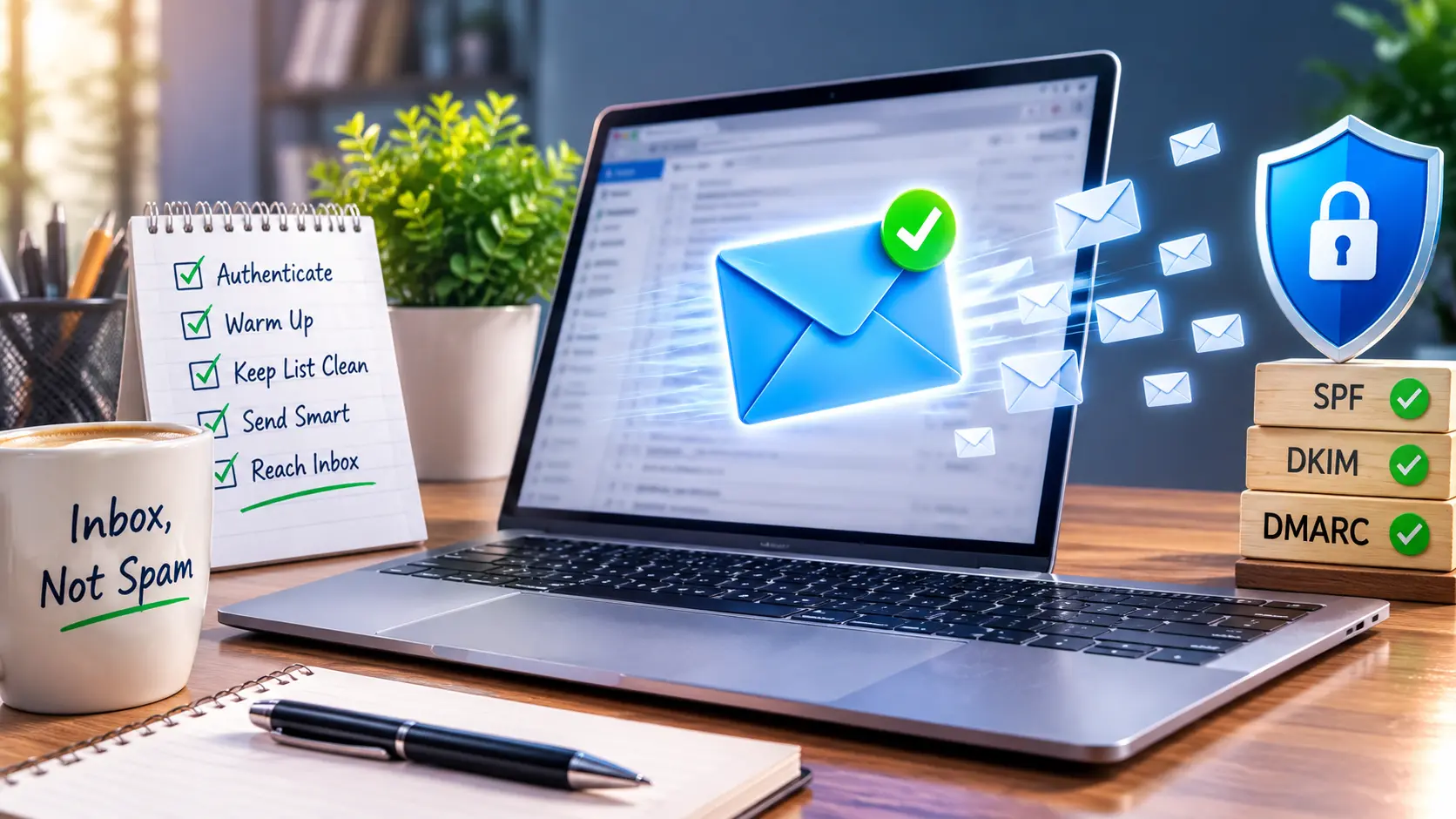
SPF (Sender Policy Framework) tells receiving servers which IP addresses are allowed to send email for your domain. A common mistake is adding too many third-party tools, like Google Workspace, a CRM, and a marketing platform, to one SPF record. SPF allows a maximum of 10 DNS lookups, and going over that limit causes SPF to fail permanently, even if every tool listed is legitimate.
DKIM (DomainKeys Identified Mail) adds a digital signature to your emails so receiving servers can verify the content wasn’t altered in transit. Use at least a 1024-bit key, though 2048-bit is now the recommended standard for anyone sending at scale.
DMARC (Domain-based Message Authentication, Reporting, and Conformance) ties SPF and DKIM together and tells receiving servers what to do when a message fails both. For bulk senders, Gmail requires a published DMARC record with at minimum a p=none policy, and the domain in your visible “From” address has to align with the domain that passed SPF or DKIM. A message can technically pass SPF and still fail DMARC if the From address doesn’t match, which is one of the more common and confusing failures senders run into.
To check your setup: send a test email to a Gmail address, open it, click the three dots, and select “Show original.” You’ll see PASS or FAIL next to SPF, DKIM, and DMARC. If anything shows FAIL, fix it before scaling volume, not after.
Warm Up Your Domain Before You Scale Volume
A brand new domain, or an old domain with no recent sending history, has no reputation with Gmail or Yahoo. If you jump straight to sending thousands of emails from it, spam filters treat the sudden volume as suspicious, regardless of how well-authenticated the domain is.
A basic warm-up sequence looks like this:
- Week 1: Send 20 to 50 emails a day to addresses you know will open and engage with them.
- Week 2: Increase to 100 to 150 a day, watching open rates and bounce rates closely.
- Weeks 3 to 4: Scale gradually toward your target volume, doubling roughly every few days rather than jumping straight to full volume.
.
Keep Your List Clean
A dirty list is one of the fastest ways to tank sender reputation, and it’s often self-inflicted. Bought lists, scraped addresses, and contacts who signed up years ago and stopped engaging all raise your bounce rate and your spam complaint rate at the same time.
Google’s threshold for bulk senders is a spam complaint rate under 0.10%, with 0.08% recommended as a safer working ceiling. That means out of 10,000 emails sent, fewer than 8 to 10 people should be marking them as spam. Bounce rate should stay under 2%.
Practical steps that keep a list clean:
- Remove addresses that bounce on the first attempt. A hard bounce means the address doesn’t exist, and repeatedly emailing it damages reputation with no upside.
- Suppress contacts who haven’t opened or clicked in the last 90 to 180 days, rather than continuing to email them at the same rate.
- Never buy or scrape email lists. Addresses collected without explicit consent generate far higher complaint rates, and providers can detect list-buying patterns.
- Use double opt-in for new signups where possible. It slows list growth slightly but produces subscribers who actually want the email.
Write Emails That Don’t Read Like Spam
Authentication and list hygiene get the email delivered to the inbox. Content decides whether it stays there or gets reported.
A few content habits that consistently correlate with spam complaints:
- Subject lines that oversell. “URGENT: Claim your reward now!!!” reads as spam to both filters and humans. A subject line that accurately describes the email’s content performs better and gets fewer complaints.
- Image-heavy emails with little text. An email that’s a single large image with almost no text is a classic spam pattern, because it’s historically been used to hide spam content from text-scanning filters.
- Mismatched sender names. If the “From” name says one thing and the email content is unrelated, that mismatch is a spam signal.
- No clear reason the recipient is receiving it. A short line like “You’re getting this because you downloaded our pricing guide last month” reduces confusion and complaints, especially for B2B outreach.
Make It Easy to Unsubscribe
This is where a lot of senders get it backwards. Making unsubscribing hard doesn’t reduce unsubscribes, it converts them into spam complaints instead, which hurts reputation far more.
Gmail and Yahoo require bulk senders to support one-click unsubscribe (built on the RFC 8058 standard) and to process unsubscribe requests within two days. In practice, this means:
- Every marketing email needs a visible, working unsubscribe link, not one buried in six-point gray text.
- The unsubscribe action should take one click, not a login and a multi-step form.
- Requests need to be honored quickly. Most major email service providers and marketing platforms (Mailchimp, Klaviyo, ActiveCampaign, HubSpot) handle this automatically, but it’s worth confirming rather than assuming.
If someone wants out and can’t find an easy way to leave, they’ll click “report spam” instead. That single click affects your sender reputation far more than a normal unsubscribe does.
Watch Your Numbers, Not Just Your Gut
Deliverability isn’t something you fix once. It’s something you monitor. Two free tools are worth setting up before you send any real volume:
- Google Postmaster Tools shows your domain and IP reputation with Gmail specifically, along with spam rate data over time.
- Your DMARC reports (viewable through most DNS providers or a dedicated DMARC monitoring tool) show which sending sources are passing or failing authentication, which catches problems before they tank your whole domain’s reputation.
Common Mistakes That Get Bulk Senders Blocked
A few patterns show up again and again with senders who suddenly see deliverability collapse:
- Splitting one large campaign across several subdomains to “spread the risk.” Gmail now evaluates reputation at the organizational domain level, so this doesn’t hide volume the way it used to.
- Running SPF, DKIM, and DMARC once and never checking again. DNS records get overwritten during platform migrations or when a new tool gets added without updating SPF, silently breaking authentication.
- Treating every subscriber the same regardless of engagement. An agency that emails an active client segment and a cold, unengaged segment at the exact same frequency is inflating its complaint rate on the unengaged side for no real benefit.
- Scaling sending volume before fixing a known deliverability problem. If complaint rate or bounce rate is already elevated, adding volume makes the underlying problem worse and faster, not better.
FAQs
How many emails can I send before I’m considered a “bulk sender”?
Gmail and Yahoo classify anyone sending 5,000 or more emails a day to personal Gmail or Yahoo addresses as a bulk sender, which triggers stricter authentication and unsubscribe requirements. Sending under that threshold still benefits from following the same practices, since Gmail and Yahoo recommend them for all senders.
Do I need DMARC if I’m not technically a “bulk sender”?
It’s not mandatory below the threshold, but it’s strongly recommended. A domain without DMARC is easier to spoof, and spoofing attempts on your domain damage your reputation even if you didn’t send the fraudulent emails yourself.
Can I fix a bad sender reputation, or do I need a new domain?
A damaged reputation usually recovers with consistent, clean sending over several weeks: authenticate properly, cut the volume, remove unengaged contacts, and let the reputation rebuild gradually. A new domain is really only necessary when the damage is severe enough that major providers are blocking the domain outright at the SMTP level.
Does using a marketing platform like Mailchimp or Klaviyo handle this automatically?
Platforms handle infrastructure like IP reputation and one-click unsubscribe formatting, but you’re still responsible for authenticating your own sending domain with SPF, DKIM, and DMARC, and for keeping your list clean. Platform reputation and domain reputation are related but separate.
The Next Step
If deliverability has already become a problem, don’t start by adding more sending volume or switching tools. Start by checking your SPF, DKIM, and DMARC status on a real test email, and pulling your current bounce and complaint rates from the last 30 days. Those two numbers will tell you whether the issue is authentication, list quality, or content, and that’s what determines which fix actually solves it.